
LightUp.Cloud at Ericsson Tech Day: What We Presented and What a Pilot Taught Us
Ericsson's R&D site in Athlone, Ireland produces about 800 GB of new data every day, much of it stored in SharePoint. As data volumes and AI workloads grow, so do storage costs, dependence on a single vendor's policies, and the question of who really controls the data. We presented LightUp.Cloud to Ericsson as a way to answer all three, and then tested our sync software in an Ericsson office.
A note so nothing is misread: Ericsson is not a paying customer of LightUp.Cloud, and there is no commercial contract between us. We presented at Ericsson's Annual Tech Day and ran a pilot. Every figure below is an estimate or projection from that presentation, not a contract value or an audited result.

The proposal
Keep SharePoint where it works for collaboration. Move large files to private, S3-compatible storage the company already has, and sync them fast over the local network. Fast local sync and search mean developers find past material without interrupting colleagues or depending on an external provider, and the data stays under Ericsson's control in the AI era.

Why it beats the alternatives
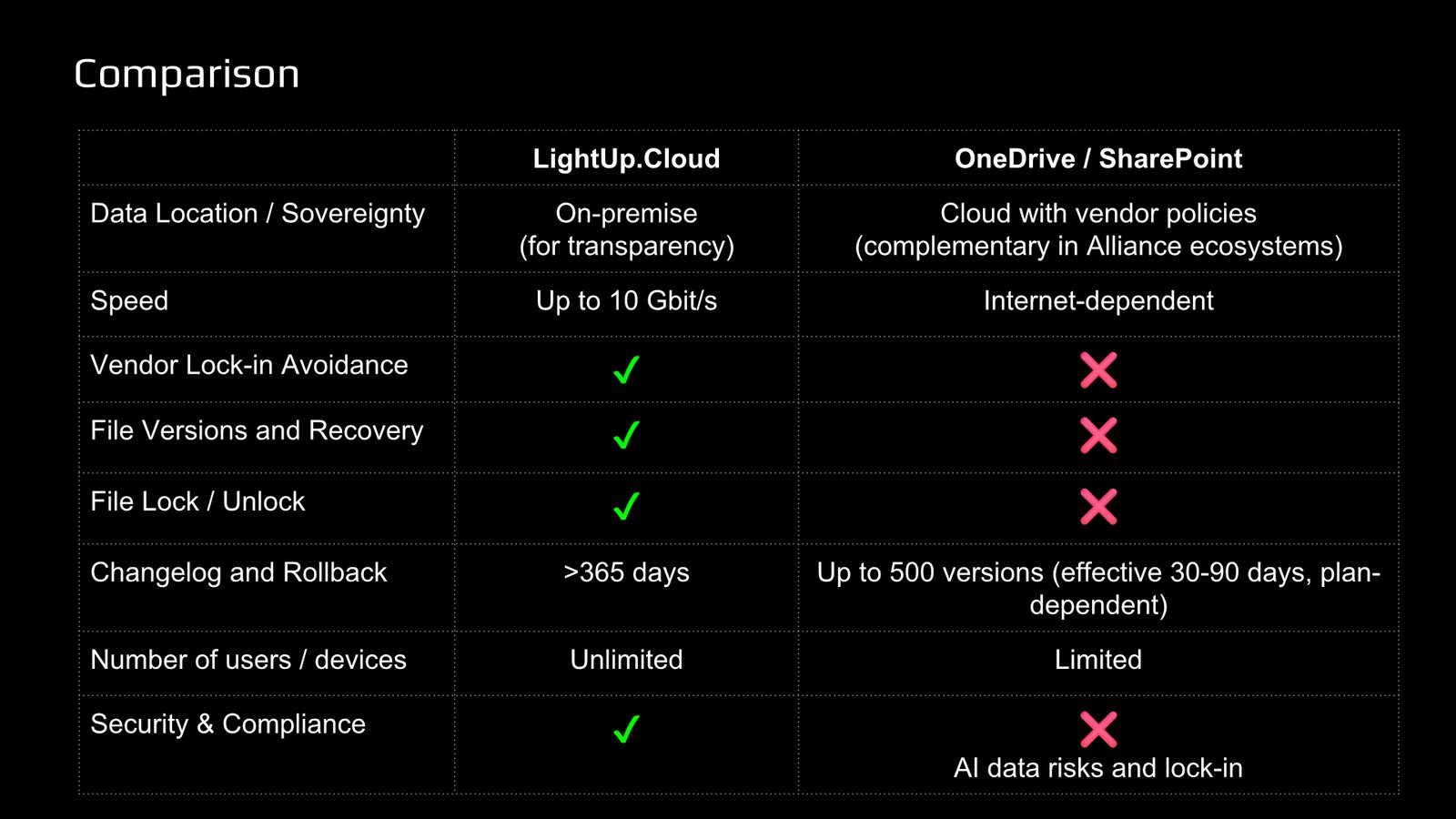
Against OneDrive and SharePoint, the comparison slide came down to control and depth: on-premise data, speeds of up to 10 Gbit/s on the local network, no vendor lock-in, file versions and locking, a changelog with rollback beyond 365 days, and unlimited users and devices. We also said plainly that the two are complementary in Alliance ecosystems. The goal is not to rip out what works.
Built on open standards
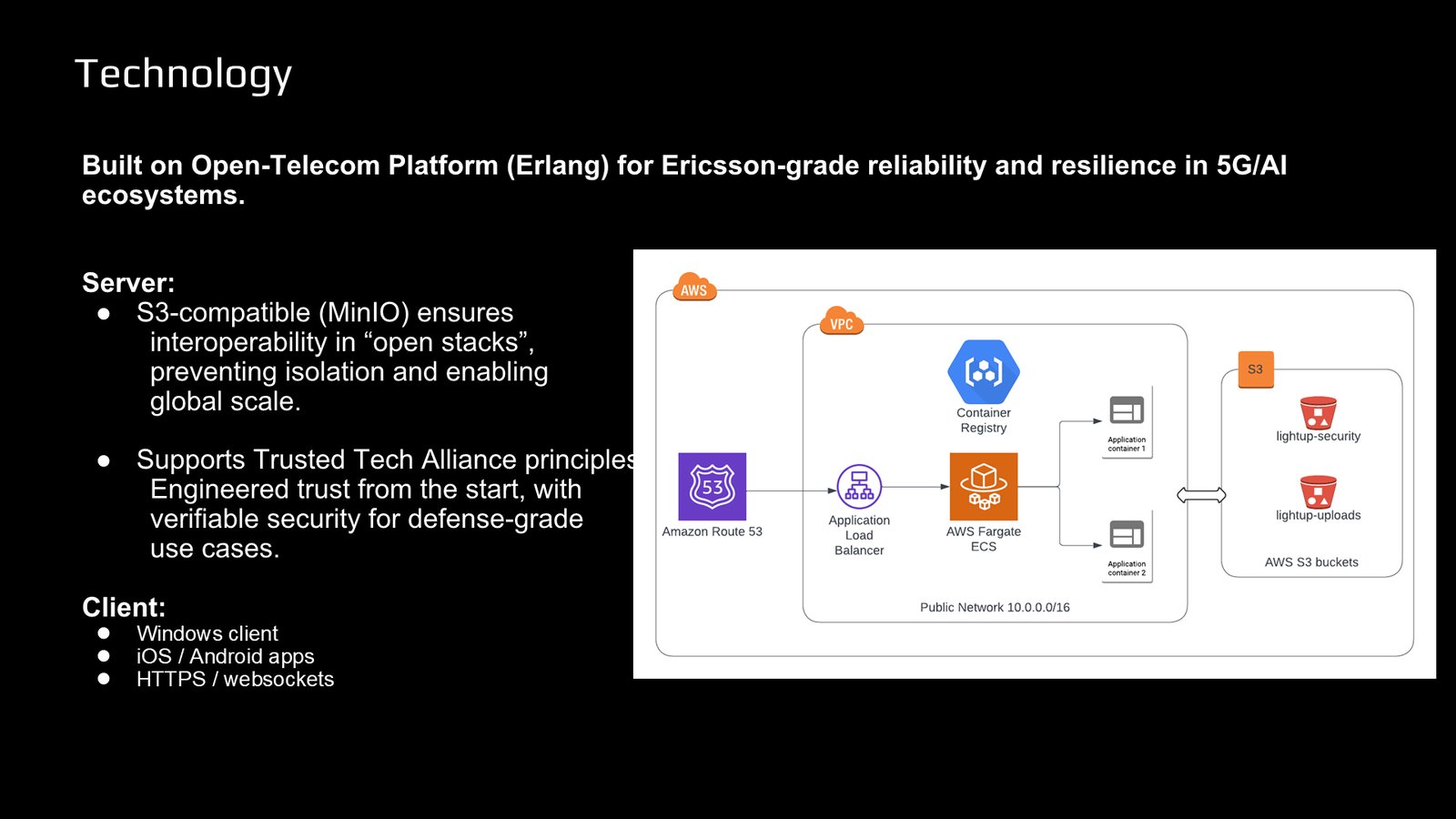
The server runs on Erlang/OTP, the platform that grew up in telecommunications, and is S3-compatible (MinIO), so it fits an open stack instead of creating a new silo. Clients cover Windows, iOS and Android.
Made for developers and AI
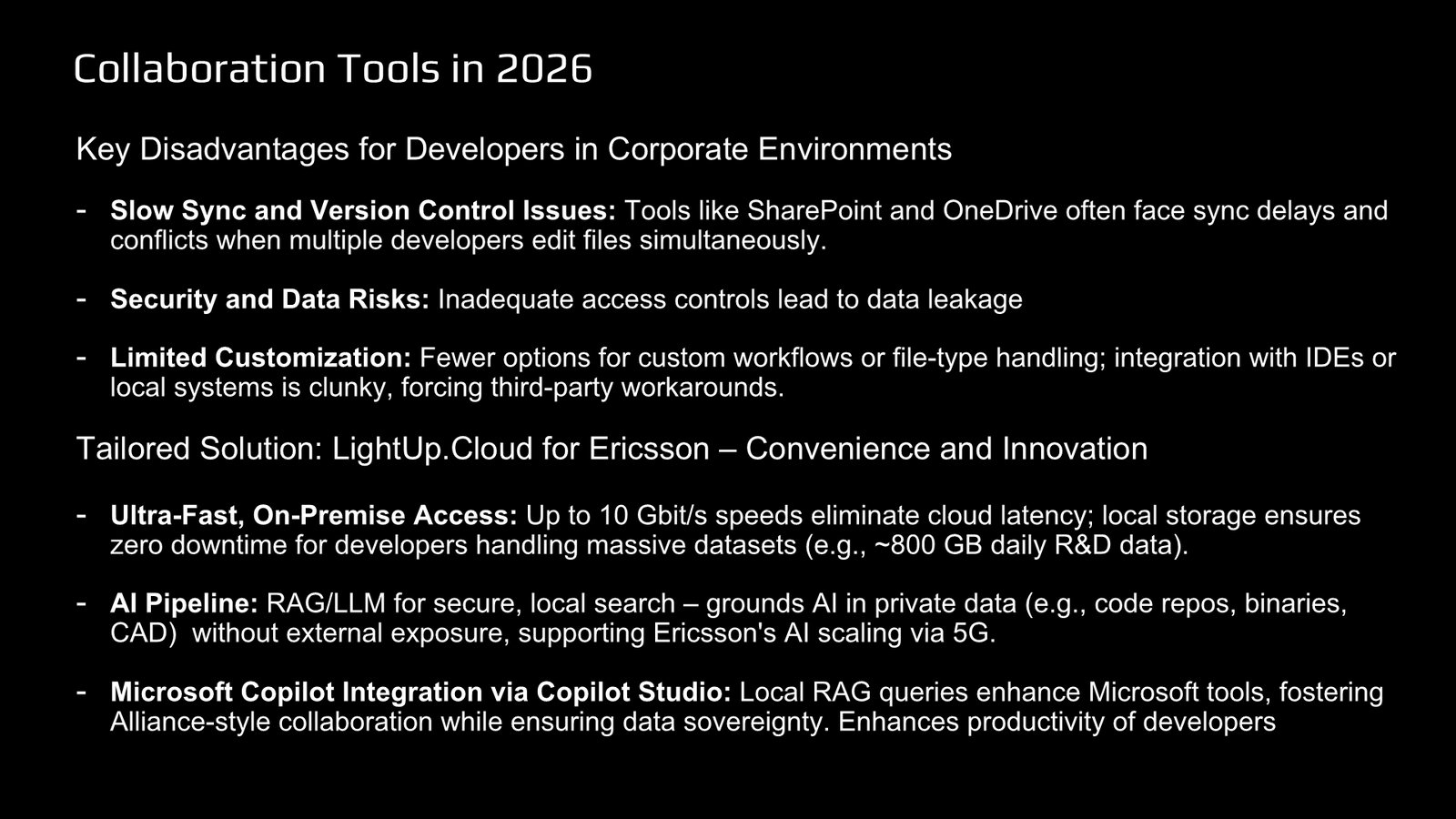
Developers lose time to sync conflicts, loose access control and rigid workflows. We showed an on-premise AI pipeline that searches private code, binaries and CAD files without exposing them outside the company, and a route for those searches to reach Microsoft Copilot through Copilot Studio.
The result
The pilot in an Ericsson office put the sync software to the test, and it helped Ericsson save money, which we were glad to demonstrate in practice. The talk led to a direct conversation with Ericsson engineering leadership: here is Vitalii with Pat, Head of Engineering at Ericsson.

What we added since
Developers increasingly work with AI agents of their own choosing, so we added the LightUp Cloud MCP to our application: a connector for the open Model Context Protocol that agents such as Kiro, Claude and Cursor already understand. Each agent gets its own key to the spaces you choose, read-only or read and write, and can search files by content, read version history, lock a file before editing and save results through the sync folder. Documents stay in your storage. Read more in Let Your AI Agents Work on Your Files, With a Key You Control.